

Hey there! As a supplier of SIP paging adapters, I've seen firsthand how crucial audio quality is in these devices. Whether it's for a small office, a large warehouse, or an educational institution, clear and crisp audio is essential for effective communication. So, what factors actually affect the audio quality of a SIP paging adapter? Let's dive in and find out.
1. Codec Selection
One of the most significant factors influencing audio quality is the codec used by the SIP paging adapter. Codecs are algorithms that compress and decompress audio data, allowing it to be transmitted over a network. Different codecs offer varying levels of audio quality, bit rates, and compression ratios.
For instance, the G.711 codec is known for its high - quality, uncompressed audio. It provides a natural and clear sound, making it ideal for applications where audio fidelity is a top priority. However, it also requires a relatively high bit rate, which can be a problem in networks with limited bandwidth.
On the other hand, codecs like G.729 offer lower bit rates, which are more bandwidth - friendly. This makes them suitable for networks with limited capacity. But the trade - off is that the audio quality is not as high as that of G.711. When choosing a SIP paging adapter, it's important to consider the network conditions and the desired audio quality. You can check out our VOIP Paging Adapter which supports multiple codecs, allowing you to select the one that best fits your needs.
2. Network Bandwidth and Latency
The quality of your network plays a huge role in the audio quality of a SIP paging adapter. Bandwidth refers to the amount of data that can be transmitted over the network in a given time. If the network has insufficient bandwidth, the audio data may not be transmitted smoothly, resulting in choppy or distorted audio.
Latency, or the delay between the time the audio is sent and the time it is received, is another critical factor. High latency can cause a noticeable delay in the audio, making it difficult for users to have a natural conversation. In a paging system, this can be particularly problematic as it may lead to misunderstandings.
To ensure good audio quality, it's recommended to have a stable and high - speed network. You can also use Quality of Service (QoS) settings to prioritize audio traffic over other types of data on the network. Our SIP Paging Gateway is designed to work efficiently even in networks with varying bandwidth and latency conditions.
3. Hardware Quality
The hardware components of a SIP paging adapter also have a direct impact on audio quality. The microphone, speaker, and the internal processing unit are all important parts of the device.
A high - quality microphone can pick up audio more accurately, reducing background noise and ensuring that the transmitted audio is clear. Similarly, a good speaker can reproduce the audio with better fidelity, making it easier for users to hear the messages.
The processing unit of the adapter is responsible for encoding and decoding the audio data. A more powerful processing unit can handle the audio processing tasks more efficiently, resulting in better audio quality. When selecting a SIP paging adapter, make sure to look for one with high - quality hardware components.
4. Environmental Conditions
The environment in which the SIP paging adapter is used can also affect audio quality. For example, if the adapter is placed in a noisy environment, the microphone may pick up a lot of background noise, which can interfere with the clarity of the transmitted audio.
In addition, factors such as temperature and humidity can also have an impact on the performance of the hardware components. Extreme temperatures can cause the components to overheat or malfunction, while high humidity can lead to corrosion.
To mitigate these effects, it's important to place the SIP paging adapter in a suitable environment. You may also consider using noise - canceling microphones or enclosures to protect the device from environmental factors.
5. Configuration and Settings
Proper configuration and settings of the SIP paging adapter are essential for achieving optimal audio quality. This includes adjusting the volume levels, equalizer settings, and gain controls.
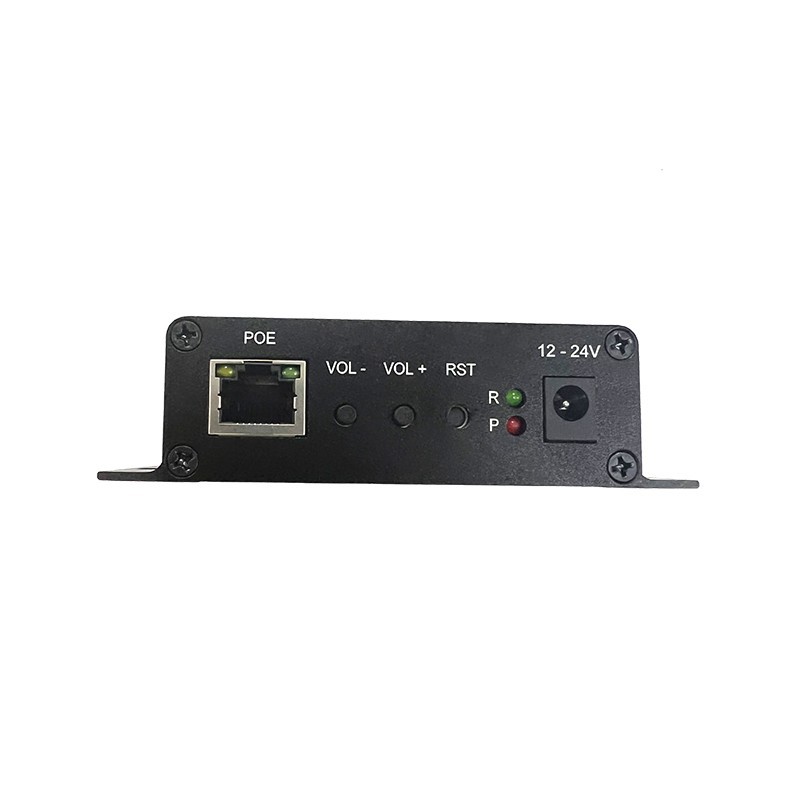

If the volume is set too low, the audio may be difficult to hear, while setting it too high can cause distortion. The equalizer settings can be adjusted to enhance certain frequencies, depending on the type of audio being transmitted. Gain controls can be used to amplify the audio signal, but if set incorrectly, they can also introduce noise.
It's important to take the time to configure the adapter properly and test the audio quality to ensure that it meets your requirements. Our technical support team is always available to help you with the configuration process.
6. Compatibility with Other Devices
The SIP paging adapter needs to be compatible with other devices in the system, such as SIP servers, phones, and speakers. Incompatibility issues can lead to audio problems, such as poor sound quality or no audio at all.
Before purchasing a SIP paging adapter, make sure to check its compatibility with your existing network infrastructure and other devices. Our products are designed to be highly compatible with a wide range of SIP - based devices, ensuring seamless integration and high - quality audio.
Conclusion
In conclusion, several factors affect the audio quality of a SIP paging adapter, including codec selection, network bandwidth and latency, hardware quality, environmental conditions, configuration and settings, and compatibility with other devices. As a supplier, we understand the importance of these factors and strive to provide products that offer excellent audio quality.
If you're in the market for a SIP paging adapter or have any questions about audio quality, feel free to reach out to us. We're here to help you find the best solution for your needs and ensure that you get the most out of your paging system. Let's start a conversation and see how we can work together to improve your communication infrastructure.
References
- "Voice over IP (VoIP) Technology: Principles and Applications" by Andrew S. Tanenbaum
- "Networking for Dummies" by Doug Lowe