

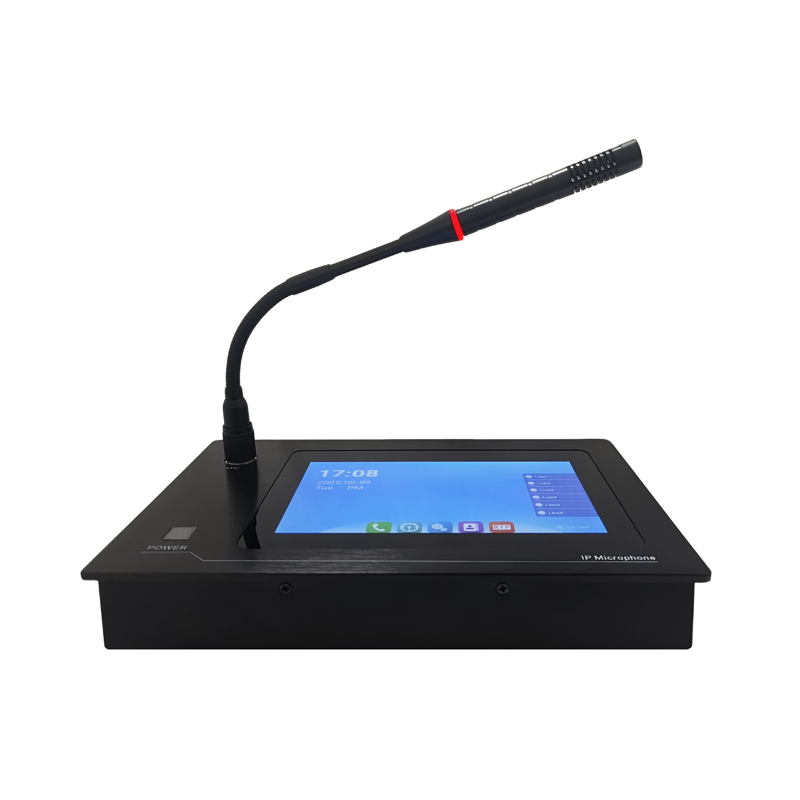
As a supplier of IP Paging Microphones, I understand the importance of ensuring that these devices are always in optimal working condition. One crucial aspect of this is checking the battery status regularly. In this blog post, I'll share some effective ways to check the battery status of a wireless IP Paging Microphone, which will help you maintain the performance and longevity of your equipment.

Why Checking Battery Status Matters
Before diving into the methods of checking the battery status, let's briefly discuss why it's so important. A wireless IP Paging Microphone relies on its battery to function. If the battery is low or not working properly, it can lead to interrupted communication, poor audio quality, and even complete system failure. Regularly checking the battery status allows you to identify potential issues early, plan for battery replacements or recharges, and ensure that your paging system is always ready for use when you need it.
Method 1: Using the Built - in Battery Indicator
Many modern wireless IP Paging Microphones come equipped with a built - in battery indicator. This is the simplest and most straightforward way to check the battery status.
How it Works
The battery indicator is usually a small LED light or a digital display on the microphone itself. LED lights often use different colors to represent the battery level. For example, a green light might indicate a fully charged battery, while a yellow light could mean the battery is at a medium level, and a red light would signal a low battery. Digital displays, on the other hand, may show the exact percentage of the battery remaining.
Steps to Check
- Power on the Microphone: Make sure the microphone is turned on. If it's turned off, the battery indicator may not be visible.
- Locate the Indicator: Find the battery indicator on the microphone. It could be on the front, side, or back, depending on the model.
- Read the Indicator: Based on the color of the LED or the percentage on the digital display, determine the battery status.
However, it's important to note that the accuracy of these indicators can vary from one model to another. Some older models may have less precise indicators, so it's always a good idea to cross - check with other methods if you're unsure.
Method 2: Using the Manufacturer's App
Many IP Paging Microphone manufacturers offer dedicated mobile apps that can be used to manage and monitor their devices, including checking the battery status.
How it Works
The app connects to the microphone via Bluetooth or Wi - Fi. Once connected, it can retrieve detailed information about the microphone, including the battery level. Some apps may also provide additional features such as battery health reports, charging history, and notifications when the battery is low.
Steps to Check
- Download and Install the App: Visit the app store on your smartphone (either the Apple App Store or Google Play Store) and search for the manufacturer's app for your IP Paging Microphone. Download and install it.
- Pair the Microphone: Open the app and follow the instructions to pair your microphone with your phone. This usually involves putting the microphone in pairing mode and then selecting it from the list of available devices in the app.
- Check the Battery Status: Once the microphone is paired, navigate to the device management section of the app. Here, you should be able to find the battery status information.
Using the app can be a more accurate and convenient way to check the battery status, especially if you have multiple microphones to manage.
Method 3: Checking the Battery Voltage
For those who are more technically inclined, checking the battery voltage can provide a very accurate assessment of the battery status.
How it Works
Batteries have a specific voltage range when they are fully charged, partially charged, and discharged. By measuring the actual voltage of the battery in the IP Paging Microphone, you can determine its approximate charge level.
Steps to Check
- Gather the Tools: You'll need a multimeter, which can be purchased at most electronics stores. Make sure it's set to measure DC voltage.
- Remove the Battery: Carefully remove the battery from the microphone. Make sure to follow the manufacturer's instructions to avoid damaging the microphone or the battery.
- Measure the Voltage: Connect the probes of the multimeter to the positive and negative terminals of the battery. Read the voltage displayed on the multimeter.
- Interpret the Results: Compare the measured voltage with the battery's specifications. For example, if a fully charged battery is supposed to have a voltage of 3.7V and you measure 3.2V, it means the battery is partially discharged.
It's important to handle the battery and the multimeter with care. If you're not comfortable performing this procedure, it's best to seek the help of a professional.
Method 4: Monitoring Usage and Performance
Another way to indirectly check the battery status is by monitoring the microphone's usage and performance.
How it Works
As the battery in an IP Paging Microphone loses its charge, you may notice certain changes in the microphone's performance. For example, the audio quality may start to degrade, the range of the wireless signal may decrease, or the microphone may turn off unexpectedly.
Steps to Check
- Keep Track of Usage Time: Note how long the microphone has been in use since the last charge. If it typically lasts for 8 hours on a full charge and you've only used it for 4 hours but are already experiencing performance issues, it could indicate a battery problem.
- Observe Performance Changes: Pay attention to any changes in the audio quality, signal strength, or other performance indicators. If you notice a significant decline, it's likely that the battery is running low.
This method is more of a qualitative assessment, but it can be useful in detecting battery issues before they become severe.
Conclusion
Checking the battery status of a wireless IP Paging Microphone is an essential part of maintaining its performance and reliability. Whether you use the built - in battery indicator, the manufacturer's app, measure the battery voltage, or monitor usage and performance, regular checks will help you avoid unexpected interruptions and ensure that your paging system is always ready for use.
If you're in the market for a high - quality IP Paging Microphone or SIP Microphone, we're here to provide you with the best products and support. Our team of experts can help you choose the right microphone for your needs and offer advice on battery maintenance. Contact us to start a procurement discussion and take your paging system to the next level.
References
- Manufacturer's user manuals for IP Paging Microphones
- Electronics textbooks on battery technology and measurement
- Online resources on wireless device maintenance